


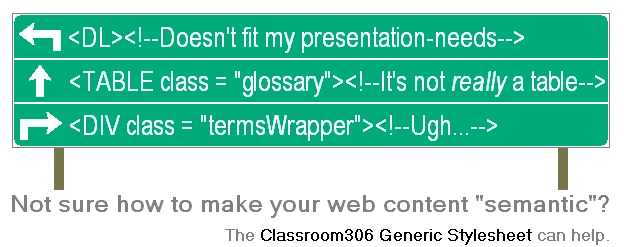
Using the Classroom306 Generic Stylesheet on your site
Despite the name, the Generic Stylesheet is not just a stylesheet. It is a collection of recommended techniques for doing common things, only some of which involve special CSS rules.
So to begin using the Generic Stylesheet, simply make the following list of techniques your reference guide as you build your website. If one or more of the techniques you're enlisting involves special code, simply add an external stylesheet to your page with the URL http://www.classroom306.com/stylesheet_project/releases/306_generic_stylesheet_1.css . This is the location of the stylesheet itself, for the most recent release, Version 1. For past versions please consult the directory of archived versions.
The Classroom306 Generic Stylesheet - Version 1
Release date: April 10, 2009. This will serve as the authoritative copy of this version.
Click a technique to expand its description.
- Standard paragraph formatting, which includes indenting.
These rules undo the default behaviour of placing a blank line between paragraphs, and instead indent all but the first paragraph of a document. The rationale behind this choice is that the latter behaviour is more common. Note that an absolute value is used for the indent. The rationale for this is that in the opinion of the author, paragraph indenting should be consistent regardless of the text size and the length of each line of text.
Style rules:
p { margin-bottom:0px; margin-top:0px; text-indent:1.25cm } p.first { text-indent:0cm } p.spacedAsPerCSSDefault { margin-top:1em; margin-bottom:1em; text-indent:0; } - Centered heading, including an h1 and smaller text below it.
This is for the title at the top of a document. The following features are common enough in writing, that they cannot be deemed specific to any one application: a centered title in large text; no padding or margin below the large text so that information in regular-size text like the author's name can appear directly below it, without a space; no padding or margin above the large text either, so that this can be decided by setting the padding of the container or margins on whatever appears above the large text.
Style rules:
div.title { width:100%; text-align:center; margin-bottom:1em } div.title h1 { padding:0px; margin:0px } - A version of em with underlined, not italicized, text.
Style rules:
em.underlined { font-style:normal; text-decoration:underline } - A version of em with bold-faced, not italicized, text.
Style rules:
em.bolded { font-style:normal; font-weight:bold } - A version of img that is block-level.
Style rules:
img.blockImage { display:block } - An alternative to definition list (dl) where the descriptions are left-aligned.
There is no way to make a definition list where, for each term, the description of what it means follows the term itself on the same line, and if the text of the description spills over onto the next line, it will be indented to align with where the description started on the first line. This technique implements that type of list using a table instead. For the longest term in the list, the description follows immediately after the term. All other descriptions are aligned with this one.
Style rules:
table.glossary { width:100%; padding-top:1em; padding-bottom:0.8em; border:none } td.glossaryTableCell { border:none; /*padding-top:0.5em;*/ padding-top:0.25em; padding-bottom:0.25em; vertical-align:top } td.word { font-weight:bold; padding-right:0.5em } - Footnotes.
The appearance of a footnote number in the body of the text (the "footnote reference") should be superscripted as opposed to the often-used web convention of enclosing it in square brackets without superscripting. It should be an anchor linking to the id of another anchor - the specification of the footnote number (again, superscripted) in the footnote itself, which will link back to the first anchor. Using the e.g. of footnote number 1, the id of the footnote reference anchor should be "fn1ref" and that of the anchor in the footnote should be "fn1". The superscripting of these anchors should be accomplished by enclosing them in <sup>, </sup> tags. The footnote itself (including the superscripted number) should be a div of class "footnote", and all footnotes should be enclosed in a div of class "footnoteSection".
This method of implementing footnotes attempts to reflect the discourse on the topic that has gone on over the last several years, notably on several prominent blogs and websites. The first factor taken into consideration was that, while footnotes have been traditionally defined as notes occuring at the ends of the pages their respective reference numbers occur on, HTML documents are not divided into distinct pages. The solution of placing all notes at the very end of the document does not allow for all notes to be somewhat in proximity to their respective references. The alternative of placing notes along the sides of the document could allow for this proximity, but this is not a solution that would work for all applications. The technique proposed by Andrew Bovens of web-graphics.com uses CSS3, which is not backwards-compatible; and fixed-position elements, which would reduce the ability to place the raw, HTML+Generic Stylesheet markup of a document into any page. Techniques which make footnotes (or "sidenotes") appear next to the paragraphs in which their respective references occur require that the actual contents of the footnote be embedded throughout the document as opposed to the end, which does not accurately represent the semantic impression of a human reader, which should suggest that the footnotes are distinct from the main chronology of the document.
For these reasons, sidenotes have not been selected for the Generic Stylesheet. Instead, a footnote and its reference link to one another, as suggested by John Gruber of daringfireball.net. This provides a way for a reader to visually experience both in quick transition, compensating for the lack of proximity.
HTML and CSS offer no mechanism to manage and/or automatically number footnotes, so with this technique authors must number footnotes manually. Tim Groves of brandspankingnew.net has conceived a solution for this but it requires that JavaScript be turned on in the user's browser so it is not suitable for the Generic Stylesheet.
The web site Scholarship On The Web summarizes the discourse on footnotes on the web and provides further insights. While authors have often shied away from using superscripting for footnote numbers due to the effect of the sup element on line spacing, this site argues why superscripting has benefits even on the web. This technique therefore uses superscripting. Perhaps a larger concern than line-spacing is that our footnote numbers are links, and this fact might go unnoticed by readers given that superscripted text is small. For this reason, pages in compliance with the Generic Stylesheet must either avoid turning off the default user agent behaviour of underlining links, or provide some other means of drawing attention to superscripted footnote numbers.
Another concern with superscripting is that it could be argued that the sup element is presentional, or at least does not reflect the semantics of the actual objects, subjects and propositions of the discussion in and of themselves. Despite this concern, the sup elements is used here, mainly on account of it being such a widely-used practice.
Style rules:
a.footnoteNumber { line-height:0em; } div.footnoteSection { margin-top:1em; margin-bottom:1em } div.footnote { } - Explanatory text midway through the template for a format ("regular expression").
This refers to the specification of any kind of format or pattern for computer programming syntax, file types, protocols, etc. An example would be the specification of the JavaScript alert() function as:
alert (Text you want to appear in dialog, in quotation marks);Style rules:
span.englishInRegularExpression { font-style:italic; font-size:0.8em } - Source code formatting.
Inline passages of code should be in code elements. For a block of code that should be placed on one or more lines of its own, it is important that the spacing of characters within the code be preserved, so the code should be placed in a pre element. It must also be within a code element in order to be semantically designated as code. The fact that the text is code is what necessitates that white space be preserved, so the pre element should be placed inside the code element. To make the code scrollable, the pre element's "overflow", and not that of the code element, must be set to "scroll" (if this is done for the code element's overflow, Firefox places an empty box with scrollbars above the code, and the code itself is not given its own scrollbar). The pre element must also be given an explicit width. For this purpose, a class of pre is included here called codePre.
An author may wish to give the area containing the code a fixed height, with a vertical scrollbar for code with a greater number of lines than will fit in this height. This should always be done for code expected to take up more vertical space than is available on the viewport, because without a fixed height the user would have to scroll down on the page in order to use the horizontal scrollbar for the code, given that horizontal scrollbars are at the bottom of elements. For all such blocks of code requiring a fixed height, the pre class "longCodePre" should be used. Elements using this class should be given an explicit height in a second style sheet in the document's head. When the height is intended to be the entire height of the viewport, a height of 410px should be used. While this will not take up the entire height on most resolutions, it will allow the block to be shown from top to bottom on most resolutions as dated as 800x600.
Style rules:
pre.codePre { width: 100%; overflow: auto; overflow-Y: hidden; padding-bottom:1.3em } pre.longCodePre { width: 100%; overflow: auto; padding-bottom:1.3em } pre.codePre code { display:block; } pre.longCodePre code { display:block; } - References, within paragraph text, to names used in source code (whether user-chosen or programming language reserved words.
This technique is for websites with content related to computer science. Use the following conventions when referring to names meant to be used in source code. For source code itself, whether block-level or part of a paragraph, see technique number 9.
- Place in quotation marks the first instance of variable/constant/data structure names, function/method names, and CSS properties and values.
- Place in quotation marks all instances of the id's and class names of HTML/XML elements.
- Do not use quotation marks for programming language reserved words or HTML/XML element types or attributes, other than predefined functions and system variables.
- It is not necessary to use special formatting for any of the words discussed here. The author may choose to apply formatting to these words.
- Use dfn element for first appearance of technical term.
- An unordered list with all text after the first line of an item indented.
Style rules:
ul.withExplanations {
list-style-type:none;
margin:0 0 0 4.5em;
padding:0px;
text-indent:-4.5em;
padding-top:1em;
padding-bottom:0.8em
}
li.withExplanations {
margin:0 0 0 4.5em;
padding:0px;
text-indent:-4.5em;
padding-top:1em;
padding-bottom:0.8em
}
.withExplanations li {
padding-top:0.25em;
padding-bottom:0.25em
}
.withExplanations p {
text-indent:3em
}
.withExplanations p.first {
text-indent:0em
}
Archived versions of the Generic Stylesheet
There are no past versions of the Generic Stylesheet yet.